
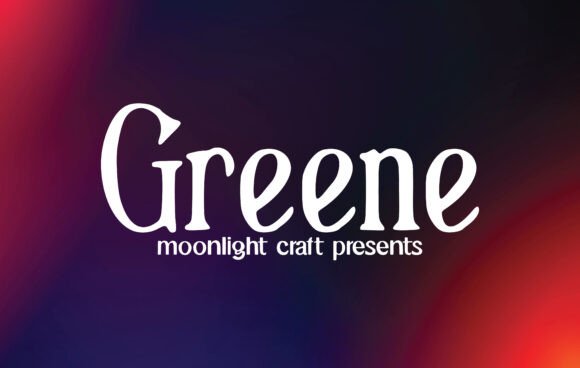
Introducing Greene Font: Elevate Your Creative Projects with a Lovely Handwritten Style
In the world of typography, a good font can make all the difference in taking your creative projects to the next level. If you’re looking for a font that exudes elegance, sophistication, and a touch of personality, look no further than Greene Font. This beautiful handwritten font has the potential to elevate your designs, making it the perfect choice for creating eye-catching logos, branding, and quotes.
What Makes Greene Font Stand Out?
- Unique Handwritten Style: Greene Font boasts a distinctive handwritten style that adds a personal touch to any design project.
- Elegant and Sophisticated: The font’s elegant and sophisticated look makes it perfect for high-end branding, logos, and quotes.
- Highly Versatile: Greene Font can be used for a wide range of design projects, from print materials to digital applications.
- Easy to Read: Despite its elegant style, Greene Font remains highly legible, making it suitable for body text and captions.
Endless Possibilities: How to Use Greene Font in Your Designs
Greene Font’s versatility is one of its most significant advantages. Here are just a few examples of how you can use this beautiful font in your designs:
📸 Preview Images


💡 Click on any image to view full size
- Logo Design: Create stunning logos that stand out from the crowd with Greene Font’s unique handwritten style.
- Branding: Use Greene Font to develop a cohesive brand identity that exudes elegance and sophistication.
- Quotes and Posters: Add a touch of personality to your quotes and posters with Greene Font’s beautiful, cursive script.
- Digital Applications: Use Greene Font in digital applications such as social media graphics, presentations, and more.
Tips for Getting the Most Out of Greene Font
To ensure you get the most out of Greene Font, here are a few tips to keep in mind:
- Experiment with Font Sizes: Play around with different font sizes to find the perfect balance for your design.
- Pair with Other Fonts: Combine Greene Font with other fonts to create a unique and visually appealing typography.
- Adjust Letter Spacing: Adjust the letter spacing to create a more open or closed look, depending on your design needs.
- Use in Combination with Images: Use Greene Font in combination with images to create stunning visual compositions.
The Benefits of Using Greene Font in Your Designs
So, why choose Greene Font for your design projects? Here are just a few benefits of using this beautiful handwritten font:
- Unique and Memorable: Greene Font’s unique style will help your designs stand out and be remembered.
- Elegant and Sophisticated: The font’s elegant and sophisticated look makes it perfect for high-end branding and designs.
- Highly Versatile: Greene Font can be used for a wide range of design projects, making it a valuable addition to your font library.
- Easy to Use: Despite its elegant style, Greene Font remains easy to use and works seamlessly with most design software.
Greene Font: Access Download Now
| Font Name | Greene Font |
| Author | Unknown |
| Download | Access Download Here |
Conclusion
In conclusion, Greene Font is a beautiful handwritten font that has the potential to elevate your creative projects to new heights. With its unique style, elegant and sophisticated look, and high versatility, it’s the perfect choice for creating eye-catching logos, branding, and quotes. Whether you’re a designer, entrepreneur, or simply someone who appreciates great typography, Greene Font is definitely worth checking out.
Get Your Hands on Greene Font Today!
Ready to take your designs to the next level with Greene Font? Click the link below to download the font and start creating stunning designs today!
