
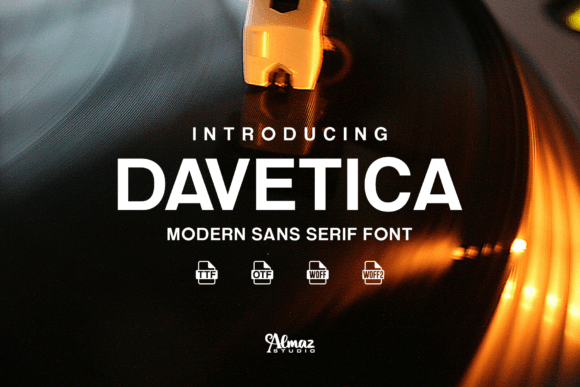
Davetica Font: Elevate Your Designs with Elegance and Versatility
In the world of typography, a font can make or break a design. A well-crafted font can elevate your project, conveying sophistication, creativity, and professionalism. Davetica, a brand new elegant sans serif typeface created by Almaz Studio, is making waves in the design community. With its sleek lines, modern aesthetic, and extensive language support, Davetica is poised to become a go-to choice for designers worldwide.
What is Davetica Font?
Davetica is a sans serif typeface, characterized by its clean, minimalist design. The font’s sleek lines and curves create a sense of elegance, making it perfect for a wide range of applications, from posters and web graphics to game graphics, t-shirts, and more.
📸 Preview Images


💡 Click on any image to view full size
Designed by Almaz Studio, Davetica boasts a modern aesthetic that will appeal to designers seeking a fresh, contemporary look. The font’s versatility and wide language support make it an excellent choice for projects that require a sophisticated, professional appearance.
Extensive Language Support
One of the standout features of Davetica is its extensive language support. The font covers almost all current Latin-based languages, making it an excellent choice for global projects. Whether you’re working on a campaign that requires support for English, Spanish, French, German, Italian, or numerous other languages, Davetica has got you covered.
This extensive language support ensures that designers can use Davetica for a wide range of projects, from multinational marketing campaigns to global eBook publications.
Endless Design Possibilities
Davetica’s versatility is one of its most significant advantages. The font can be used for a wide range of applications, including:
- Posters and flyers
- Web graphics and UI design
- Game graphics and titles
- T-shirts and apparel
- Videos and movie titles
- Signs and billboards
- eBooks and publications
- Logos and branding
With Davetica, you can create stunning designs that showcase your creativity and professionalism.
Installing and Using Davetica
Installing Davetica on your computer is straightforward. Once you’ve downloaded the font, follow these steps:
- Extract the font files from the zip archive.
- Open the Fonts folder on your computer (usually located in the Control Panel or System Preferences).
- Drag and drop the font files into the Fonts folder.
- Your design software should now recognize the font and allow you to use it in your projects.
With Davetica installed, you can start creating stunning designs that showcase the font’s elegance and versatility.
Design Tips for Using Davetica
To get the most out of Davetica, consider the following design tips:
- Use Davetica as a headline font to add a touch of elegance to your design.
- Pair Davetica with a serif font for a classic, sophisticated look.
- Experiment with different font sizes and weights to create visual hierarchy.
- Use Davetica’s clean lines and minimalist design to create a sense of modernity.
By following these design tips, you can unlock Davetica’s full potential and create stunning designs that leave a lasting impression.
Davetica Font: Access Download Now
| Font Name | Davetica Font |
| Author | Unknown |
| Download | Access Download Here |
Conclusion
Davetica is a game-changing font that offers elegance, versatility, and extensive language support. With its sleek lines, modern aesthetic, and wide range of applications, Davetica is poised to become a favorite among designers worldwide. Whether you’re working on a poster, web graphic, or eBook, Davetica is an excellent choice for any project that requires a sophisticated, professional appearance.
Download Davetica today and experience the power of elegant typography in your designs.
