
Introducing Fox Moxie Font: The Ultimate Choice for Cute and Fun Designs
If you’re looking for a font that can add a touch of warmth and affection to your designs, look no further than the Fox Moxie Font. This adorable color font is perfect for creating cute greeting cards, gorgeous invitations, beautiful stationary art, eye-catching social media posts, and more. In this article, we’ll explore the features and benefits of the Fox Moxie Font and provide you with a comprehensive guide on how to use it.
What Makes Fox Moxie Font So Special?
Fox Moxie Font is a cute and fun color font that’s designed to help you create stunning designs with ease. Its authentic feel and charming appearance make it perfect for various design projects, including:
📸 Preview Images

💡 Click on any image to view full size
- Cute greeting cards for special occasions
- Gorgeous invitations for parties and events
- Beautiful stationary art for personal or commercial use
- Eye-catching social media posts to engage your audience
With Fox Moxie Font, you can add a touch of personality to your designs and make them stand out from the crowd.
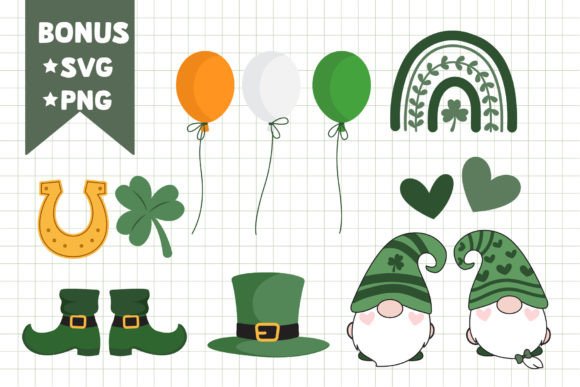
Bonus Features: Alphabet and Saint Patrick’s Elements SVG and PNG 300DPI Files
As a bonus, you’ll receive Alphabet and Saint Patrick’s Elements SVG and PNG 300DPI Files, which can be used to add an extra layer of creativity to your designs. These files are perfect for:
- Creating custom illustrations and graphics
- Adding decorative elements to your designs
- Using in conjunction with the Fox Moxie Font to create stunning designs
Technical Details: Installing and Using Fox Moxie Font
Fox Moxie Font is an OpenType full-color (SVG) font, which can be installed like any normal .otf font. Here’s how to install and use it:
Installation
To install Fox Moxie Font, follow these steps:
- Mac users: Install via FontBook
- Windows users: Install via your preferred font manager or Control Panel
Compatibility
Fox Moxie Font is compatible with various software, including:
- Photoshop (PS) since CC 2017
- Illustrator (AI) since CC 2018
- InDesign (ID) since CC 2019
- Inkscape
- QuarkXPress since 2018
- Pixelmator
- Sketch
- Affinity Designer Since macOS 10.14 Mojave
- Paint.NET (Windows only)
Please note that color fonts will show as black in non-compatible programs.
Important Note
Canva does not support color fonts, so you won’t be able to use Fox Moxie Font directly in Canva. However, you can use the font in other compatible software and then export your design to Canva for further editing.
Design Tips: Getting the Most Out of Fox Moxie Font
Here are some design tips to help you get the most out of Fox Moxie Font:
- Experiment with different colors and combinations to create unique designs
- Use the font to add a personal touch to your designs
- Pair Fox Moxie Font with other fonts to create stunning contrast
- Use the bonus SVG and PNG files to add decorative elements to your designs
Fox Moxie Font: Access Download Now
| Font Name | Fox Moxie Font |
| Author | Fox7 |
| Download | Access Download Here |
Conclusion
In conclusion, Fox Moxie Font is a versatile and charming color font that’s perfect for creating cute and fun designs. With its authentic feel and bonus features, it’s an excellent choice for designers, crafters, and anyone looking to add a touch of warmth and affection to their designs. By following the technical details and design tips outlined in this article, you’ll be able to get the most out of Fox Moxie Font and create stunning designs that will leave a lasting impression.
