
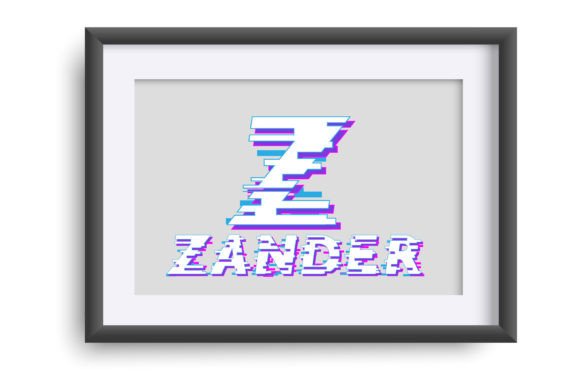
Introducing Game Glitch Font: The Fun Pixelated Font for Gamers and Designers
Are you a gamer, designer, or enthusiast looking for a unique font to add a touch of personality to your designs? Look no further than the Game Glitch Font, a full-color font that features a fun pixelated style reminiscent of video games. In this article, we’ll explore the features and benefits of this exciting font, and how you can use it to take your designs to the next level.
What is Game Glitch Font?
Game Glitch Font is a full-color font that features a fun pixelated style, perfect for creating titles, displays, posters, and more. This font is designed to resemble the graphics of classic video games, with a bold and colorful aesthetic that’s sure to grab attention.
📸 Preview Images

💡 Click on any image to view full size
One of the unique features of Game Glitch Font is its use of full-color SVG (Scalable Vector Graphics) technology. This allows the font to display a wide range of colors and styles, creating a truly vibrant and dynamic effect.
Compatibility and Installation
Game Glitch Font is compatible with a range of programs, including Silhouette Studio, Adobe products, Quark, and Inkscape. Installation is straightforward, and can be done via FontBook for Mac users or via your preferred font manager or Control Panel in Windows.
It’s worth noting that color fonts may show as black in non-compatible programs. However, if your program supports color fonts, you’ll be able to see the full range of colors and styles when you type on the document.
Benefits of Using Game Glitch Font
So why choose Game Glitch Font for your designs? Here are just a few benefits of using this exciting font:
- Add a touch of personality: With its bold and colorful aesthetic, Game Glitch Font is the perfect way to add a touch of personality to your designs.
- Vector-based: As a full-color SVG font, Game Glitch Font is vector-based, which means it can be scaled to any size without losing quality.
- Wide range of colors and styles: With a full range of colors and styles to choose from, you can create anything from simple text logos to complex illustrations.
- Perfect for gamers and designers: Whether you’re a gamer, designer, or enthusiast, Game Glitch Font is the perfect way to add a touch of fun and personality to your designs.
How to Use Game Glitch Font
Using Game Glitch Font is easy. Here are a few tips to get you started:
- Use for titles and displays: Game Glitch Font is perfect for creating bold and eye-catching titles and displays.
- Create posters and flyers: With its colorful and dynamic aesthetic, Game Glitch Font is ideal for creating posters and flyers.
- Add a touch of personality to your logos: Use Game Glitch Font to add a touch of personality to your logos and branding.
Technical Details
Here are some technical details about Game Glitch Font:
- Font type: OpenType full-color (SVG) font
- Installation: Installed like any normal .otf font via FontBook for Mac users or via your preferred font manager or Control Panel in Windows
- Compatibility: Compatible with Silhouette Studio, Adobe products, Quark, and Inkscape, amongst others
Game Glitch Font: Access Download Now
| Font Name | Game Glitch Font |
| Author | Illustration Ink |
| Download | Access Download Here |
Conclusion
In conclusion, Game Glitch Font is a fun and exciting font that’s perfect for gamers, designers, and enthusiasts. With its bold and colorful aesthetic, full-color SVG technology, and wide range of colors and styles, this font is sure to add a touch of personality to your designs.
Whether you’re looking to create titles, displays, posters, or logos, Game Glitch Font is the perfect choice. So why not give it a try and see what amazing designs you can create?
