
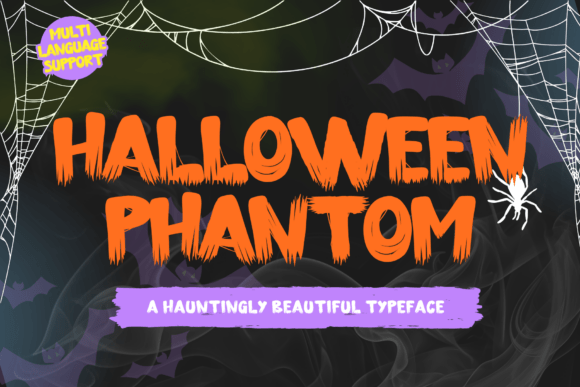
Unleash the Spooky Spirit with Halloween Phantom Font
Halloween is just around the corner, and what better way to get into the spooky spirit than with a font that’s as eerie as it is playful? Look no further than the Halloween Phantom Font, a decorative font designed to bring a touch of authenticity and whimsy to all your favorite projects. Whether you’re a blogger, designer, or simply someone who loves the Halloween season, this font is the perfect choice for adding a bit of spooky flair to your work.
What Makes Halloween Phantom Font So Special?
The Halloween Phantom Font is a unique and versatile decorative font that’s perfect for a wide range of projects. Here are just a few of its key features:
📸 Preview Images

💡 Click on any image to view full size
- Playful and Authentic: This font embodies the playful and authentic spirit of Halloween, making it perfect for projects that require a touch of whimsy and fun.
- Highly Versatile: The Halloween Phantom Font can be used for a wide range of projects, from blog posts and logos to branding, ads, invitations, greeting cards, planners, photo albums, decorations, and more.
- Easy to Use: This font is incredibly easy to use, even for those with limited design experience. Simply download and install the font, and you’re ready to start creating!
10 Spooky Project Ideas to Get You Started
Now that you know a bit more about the Halloween Phantom Font, let’s take a look at some project ideas to get you started:
- Blog Posts: Add a touch of Halloween flair to your blog posts with this font. Use it to create spooky headings, titles, and even entire paragraphs of text.
- Logos and Branding: Create a spooky logo or branding materials for your business or personal project. This font is perfect for businesses that want to add a bit of Halloween flair to their brand.
- Ads and Promotions: Use the Halloween Phantom Font to create eye-catching ads and promotions for your business or personal project.
- Invitations and Greeting Cards: Create spooky invitations and greeting cards for Halloween parties, events, or simply to send to friends and family.
- Planners and Organizers: Add a touch of Halloween flair to your planners and organizers with this font. Use it to create headings, titles, and even decorative elements.
- Photo Albums: Create a spooky photo album or scrapbook with the Halloween Phantom Font. Use it to add captions, headings, and other text elements to your photos.
- Decorations: Use this font to create spooky decorations for your home or office. Print out signs, banners, or other decorative elements to get into the Halloween spirit.
- Social Media Graphics: Create spooky social media graphics with the Halloween Phantom Font. Use it to create eye-catching posts, tweets, and other social media updates.
- Party Decorations: Use this font to create party decorations, such as banners, signs, and other decorative elements.
- Gift Tags: Create spooky gift tags with the Halloween Phantom Font. Use it to add a personal touch to your gifts.
Design Tips for Using Halloween Phantom Font
Now that you know a bit more about the Halloween Phantom Font and have some project ideas, here are a few design tips to keep in mind:
- Experiment with Different Sizes: Don’t be afraid to experiment with different font sizes to create visual interest and hierarchy in your designs.
- Pair with Other Fonts: The Halloween Phantom Font pairs well with a variety of other fonts. Experiment with different pairings to find the one that works best for your project.
- Use Color Effectively: Use color effectively to create a spooky atmosphere in your designs. Consider using dark colors, such as black, purple, and orange.
- Add Texture and Patterns: Add texture and patterns to your designs to create depth and visual interest.
Downloading and Installing Halloween Phantom Font
Downloading and installing the Halloween Phantom Font is easy. Here’s how:
- Download the Font: Simply click on the download link to download the font to your computer.
- Install the Font: Once the font is downloaded, install it on your computer by following the installation instructions.
- Start Designing: Once the font is installed, you’re ready to start designing! Open your favorite design software and begin creating with the Halloween Phantom Font.
In conclusion, the Halloween Phantom Font is a versatile and fun decorative font that’s perfect for adding a touch of spooky flair to all your favorite projects. Whether you’re a blogger, designer, or simply someone who loves the Halloween season, this font is sure to be a hit. So why wait? Download the Halloween Phantom Font today and start creating!
Halloween Phantom Font: Access Download Now
| Font Name | Halloween Phantom Font |
| Author | Unknown |
| Download | Access Download Here |
